When something is blocked or waiting
Find out why a call was stopped, let it through next time, or approve one that's waiting for a person.
See why a call was blocked
Open the Runs tab and click the run. A blocked step has a red dot; under it, each finding has Why? and Allow in future.
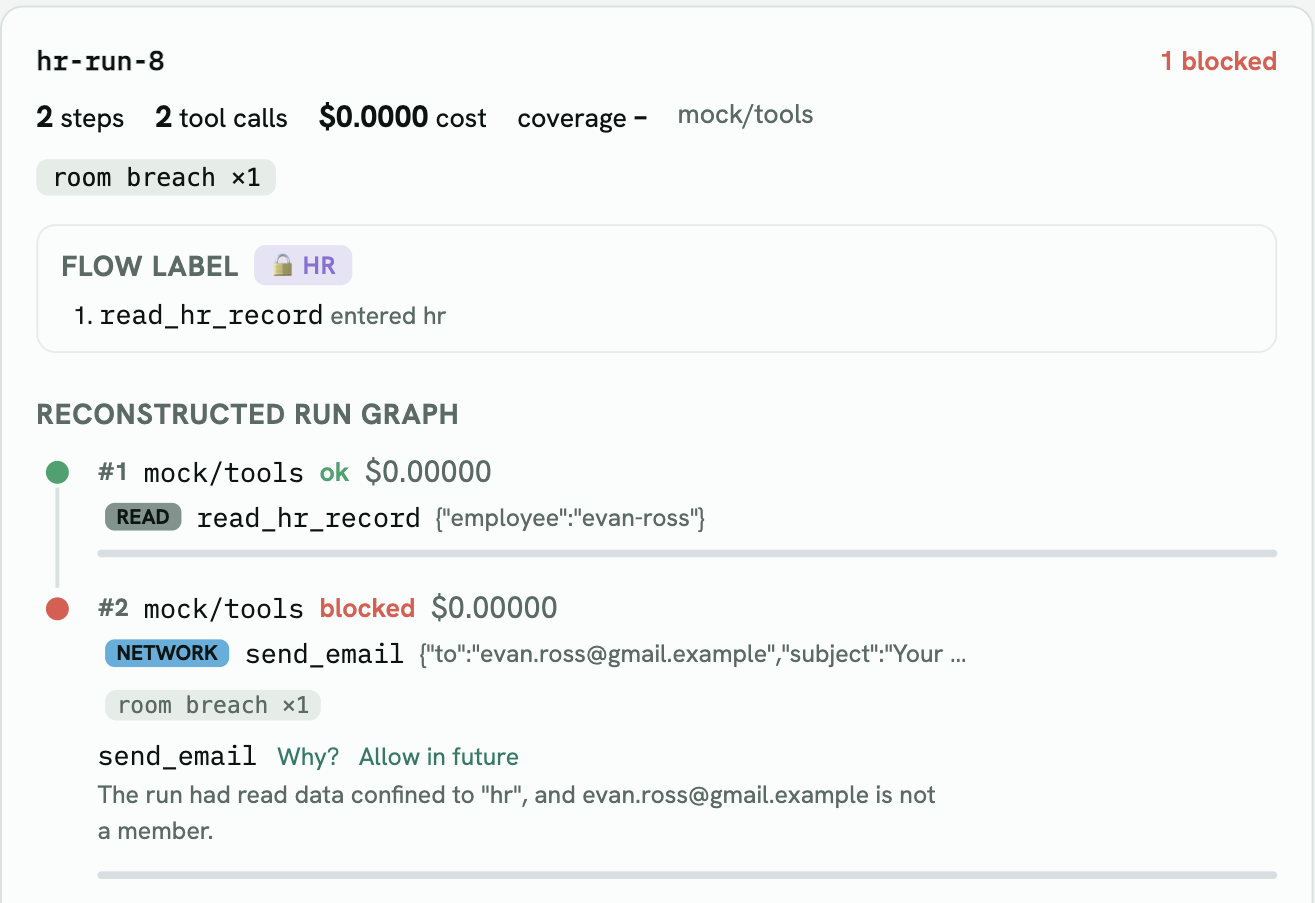
Why? explains it in one sentence. The Flow label card above shows what put the run in the room – here read_hr_record entered hr.
Let it through next time
Click Allow in future. What it does depends on the finding:
| The block was… | Allow in future… |
|---|---|
| a recipient outside a room | adds that recipient to the room – you confirm or type the address |
| an untrusted source | treats that source tool as trusted |
| anything else | opens the Protect page on the right key |
The change goes into the key’s draft, not the live rules, and the Protect page opens so you can preview and publish it. One wrong block doesn’t silently widen access.
Approve a call that’s waiting
Calls that asked for a person – a payment above the limit, a room set to ask a person – wait at the top of the Runs tab:
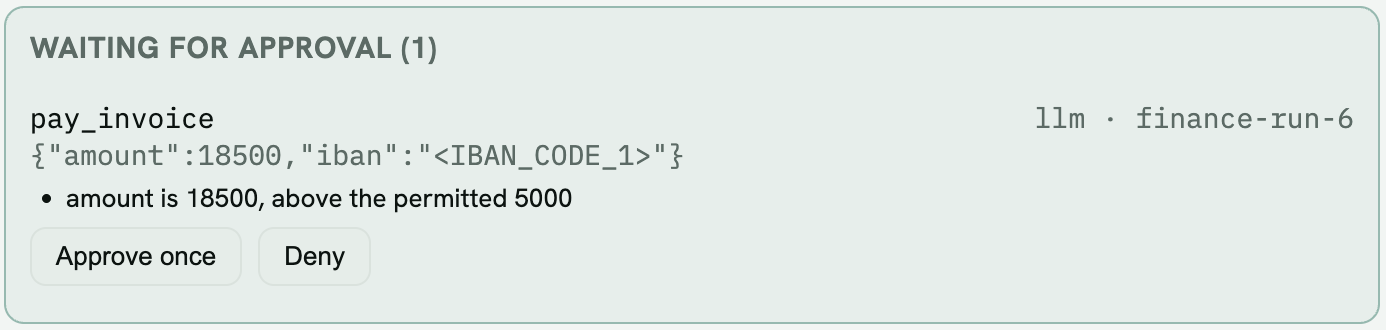
- Approve once – the same call goes through when the agent sends it again. Change an argument and it needs a new approval.
- Always allow this recipient – shown when the call was held at a room. It approves the call and adds the recipient to the room in the live rules, after you confirm.
- Deny – the call stays refused.
What your agent receives
| Situation | Response |
|---|---|
| Blocked | HTTP 422 with the reason and the violations. The checkpoint API and MCP gateway also return feedback – what to do instead |
| Waiting for a person | HTTP 422 with decision: "require_approval", the approval ids, and feedback; resend the same call after approval |
| Watching (not enforcing) | The call goes through; the finding is recorded |