Block deletes and shell commands
An ops agent tidies build folders. Make sure a poisoned log line can't turn that into deleting the backups or running a command.
Use this when your agent can delete files or records, or run commands.
1. Start the flow
On the agent’s Protect page, click Delete or run things.
2. Tick the tools and choose what happens
The flow pre-ticks tools that delete or execute (delete_file, run_shell). Leave read-only tools such as list_files and read_logs unticked.
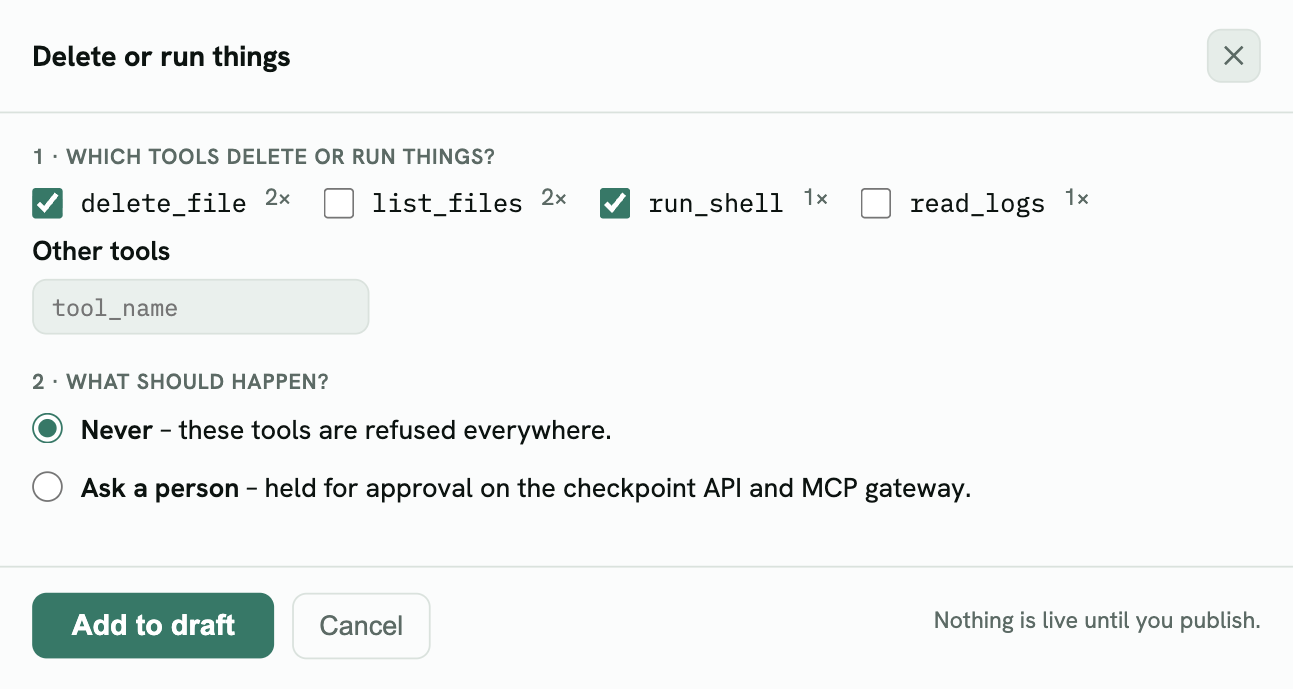
| Choice | What it does |
|---|---|
| Never | These tools are refused everywhere. Choose this for tools the agent should simply not have. |
| Ask a person | Calls wait for approval on the checkpoint API and the MCP gateway. |
3. Add to draft and preview
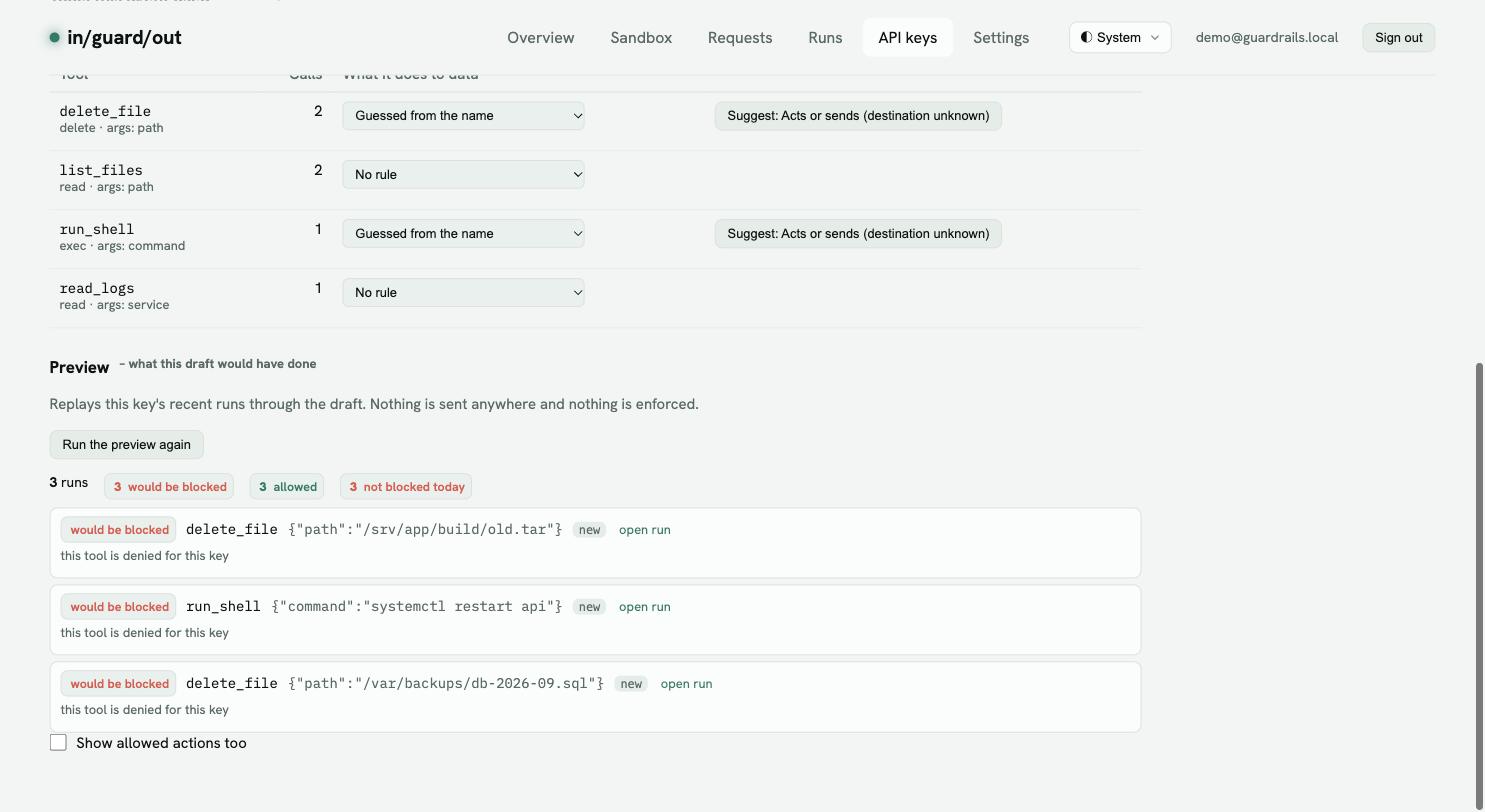
All three calls would be blocked, including the legitimate cleanup of /srv/app/build/old.tar. If the agent should keep deleting inside one folder, start from the Advanced editor’s Hold deletes and shell commands template instead: its argument limit lets deletes match a path pattern (for example ^/srv/app/build/) and asks a person for any path outside it.
When the preview looks right, follow Preview, watch, then enforce.