Preview, watch, then enforce
The safe way to switch any rule on – see what it would have done, watch it on live traffic, then let it block.
Every rule goes through the same three steps. None of them requires a deploy or a code change.
1. Preview
With rules in your draft, click Preview on the last 30 days at the bottom of the Protect page. The agent’s recent runs are replayed against the draft. Nothing is sent and nothing is blocked.
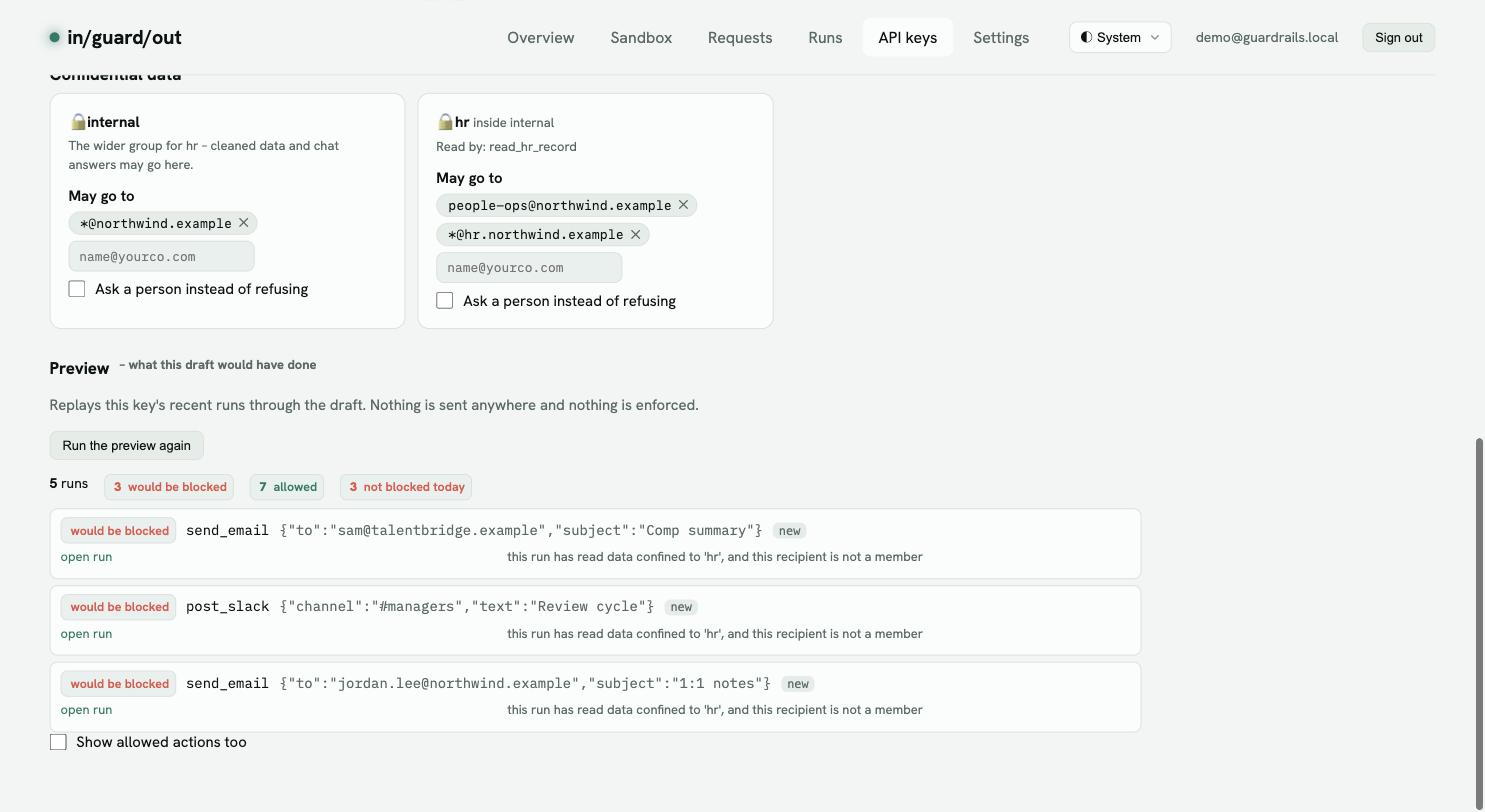
| Label | Meaning |
|---|---|
| would be blocked | Enforcing would have refused this. |
| would wait for a person | Enforcing would have parked this for approval. |
| can’t tell | The recipient was hidden by PII screening and its domain doesn’t settle it. Never guessed either way. |
| not blocked today | Counts the ones that went through at the time – what the rule would change. |
If a line is wrong, change the rule (or the room’s members) and preview again.
2. Publish – start watching
Click Publish – start watching. The rules are now live but only flag: nothing is blocked. If a setting the rules need is off, you’re offered to turn it on.
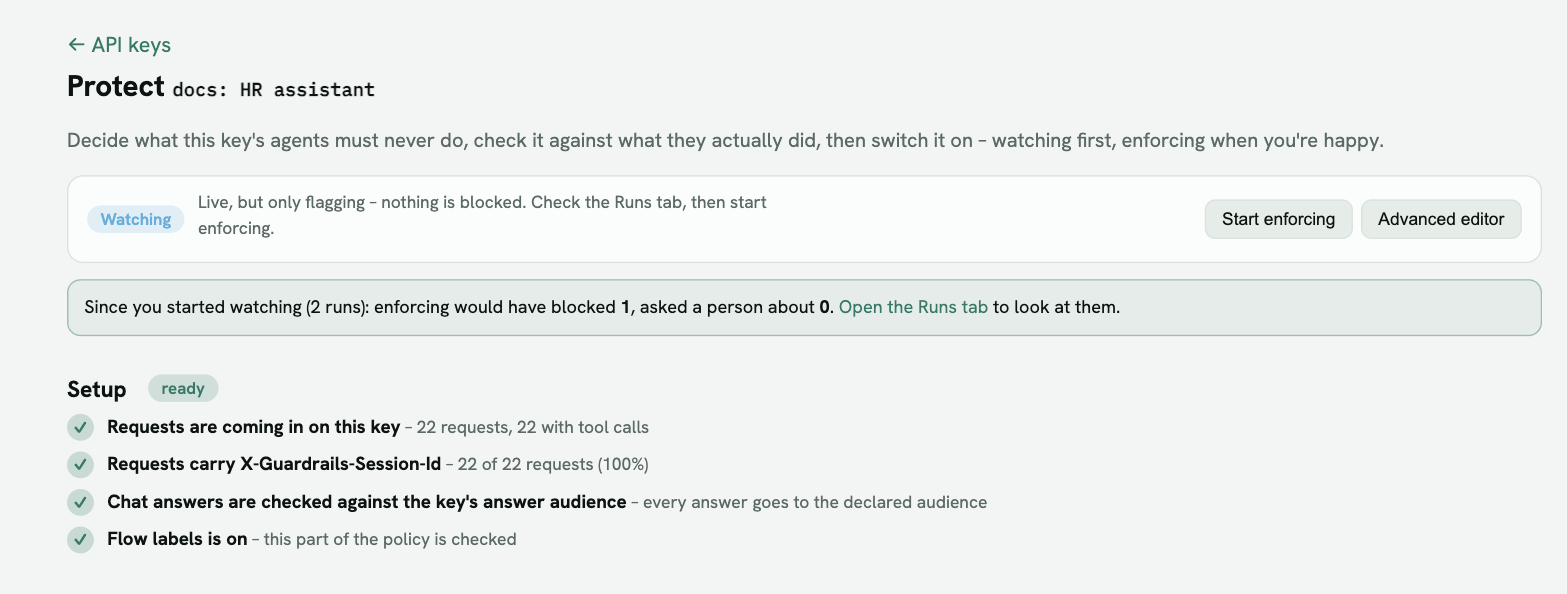
Leave it watching for a few days of normal traffic. The line under the status bar counts what enforcing would have blocked since you started watching; the Runs tab shows each one.
3. Start enforcing
When the flags match what you want, click Start enforcing.
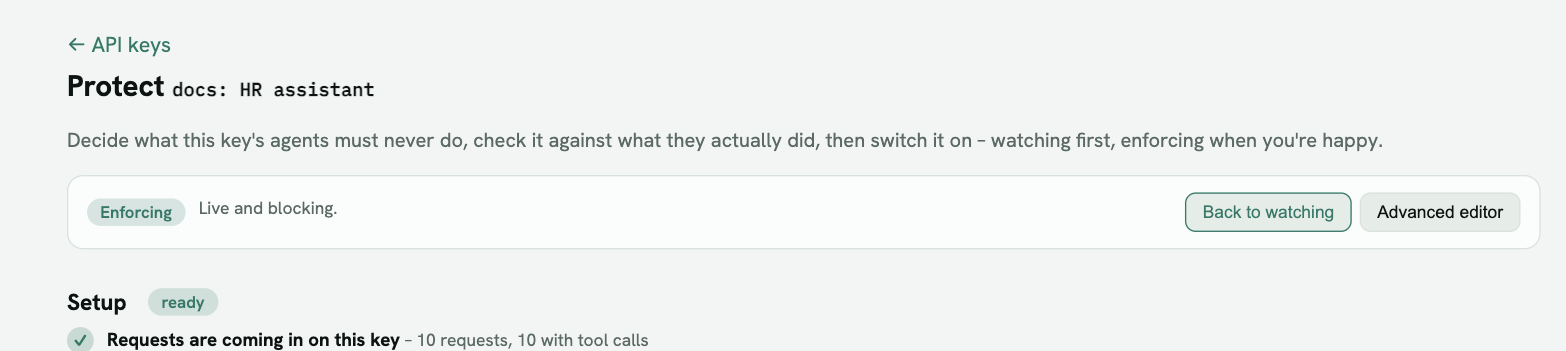
Back to watching undoes it at any time. Watching and enforcing only affect this key’s agent rules; its other guardrails keep their own mode.
Changing rules later
Edits always go to a new draft – the live rules keep running until you publish again. Preview the draft, then Publish. A policy that was enforcing stays enforcing after you publish changes to it.