Hold large payments for a person
A finance agent pays invoices. Small ones go through; anything above a limit waits for someone to approve it.
Use this when your agent pays invoices, issues refunds or transfers money.
A forged invoice can be perfectly consistent – the payee is real, the line items add up. A ceiling still catches it: anything above the amount you choose waits for a person instead of running.
1. Start the flow
On the agent’s Protect page, click Move money without a check.
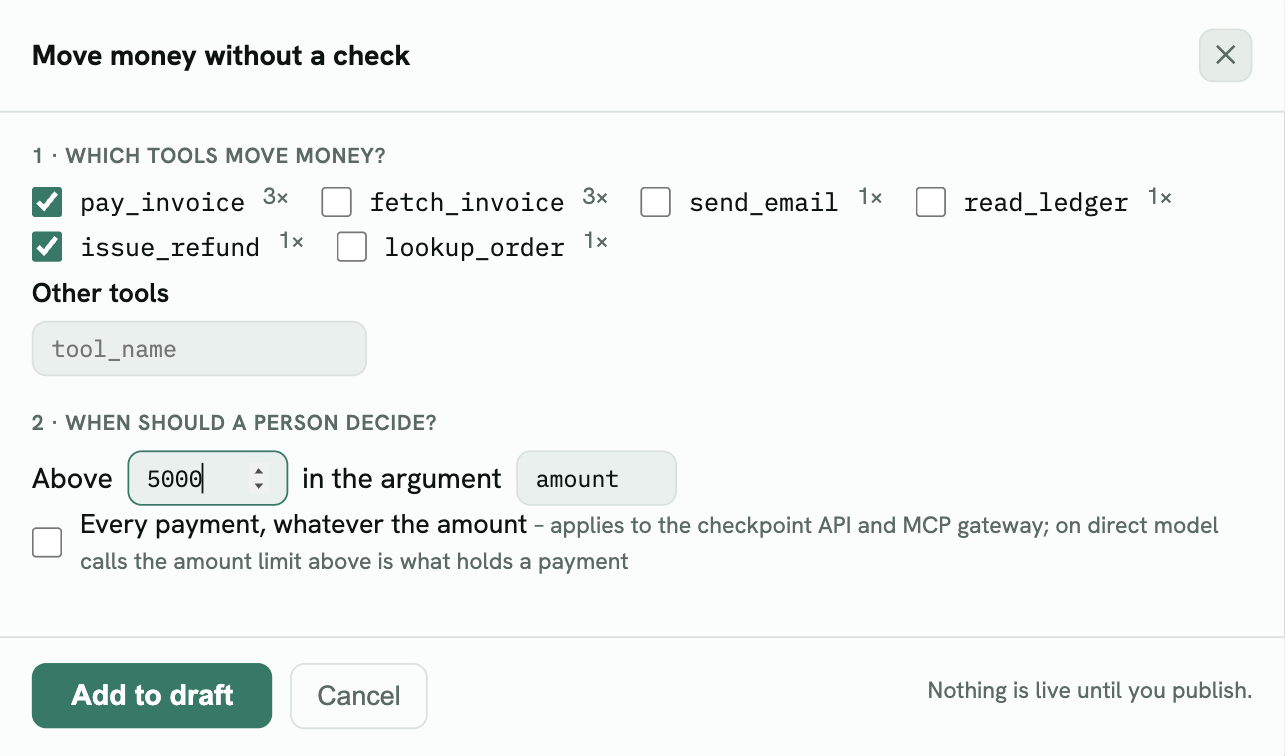
2. Tick the tools that move money
Tools are pre-ticked when their name suggests a payment. Untick lookups: in this example fetch_invoice was pre-ticked because its name contains “invoice”, but it only reads an invoice.
3. Set the limit
Enter the largest amount the agent may pay without asking, and the name of the argument that holds the amount (usually amount). Nested amounts – payments[0].amount in a batch – are covered by the same entry.
Every payment, whatever the amount makes every payment wait. It applies to the checkpoint API and the MCP gateway; for agents that call the model directly, the limit above is what holds a payment.
4. Add to draft and preview
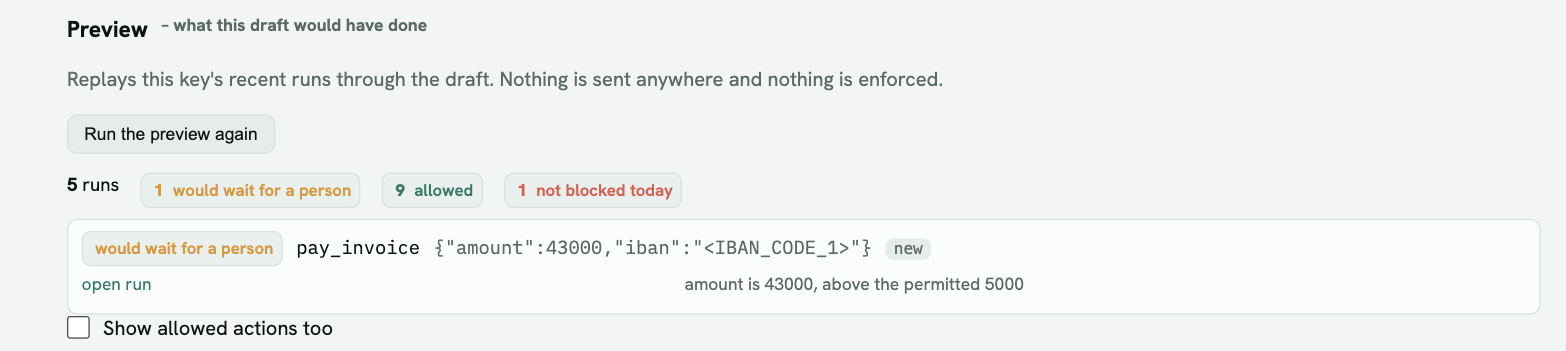
The 43,000 invoice would have waited for a person. The 430 and 2,600 ones go through.
5. After you enforce: approving a held payment
Once the rule is enforcing, a held payment appears at the top of the Runs tab:
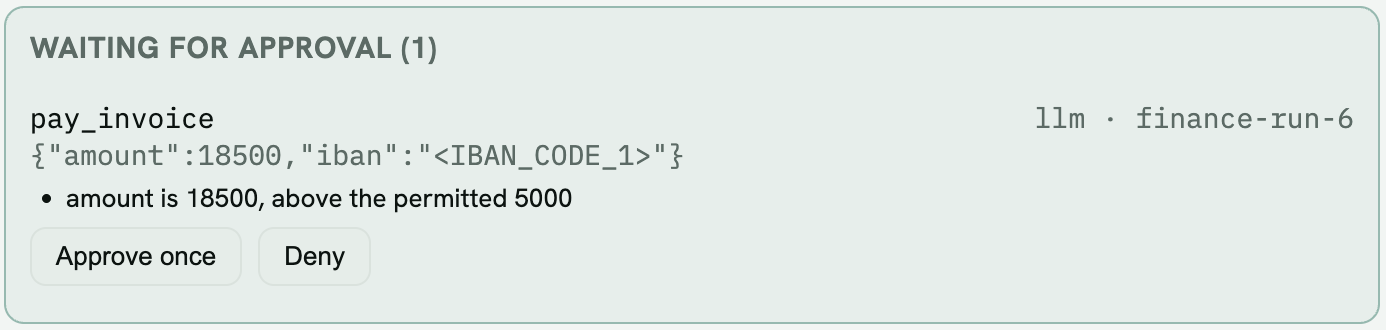
- Approve once – when the agent sends the same payment again, it goes through. A different amount or payee needs its own approval.
- Deny – the payment stays refused.
Your agent receives a require_approval answer while it waits, so it can tell the user the payment is pending. See When something is blocked or waiting.